· clothink
AI Fashion Mockup Generator: Turn CADs into Photoreal Images in Seconds
- Product development
- Fashion tech
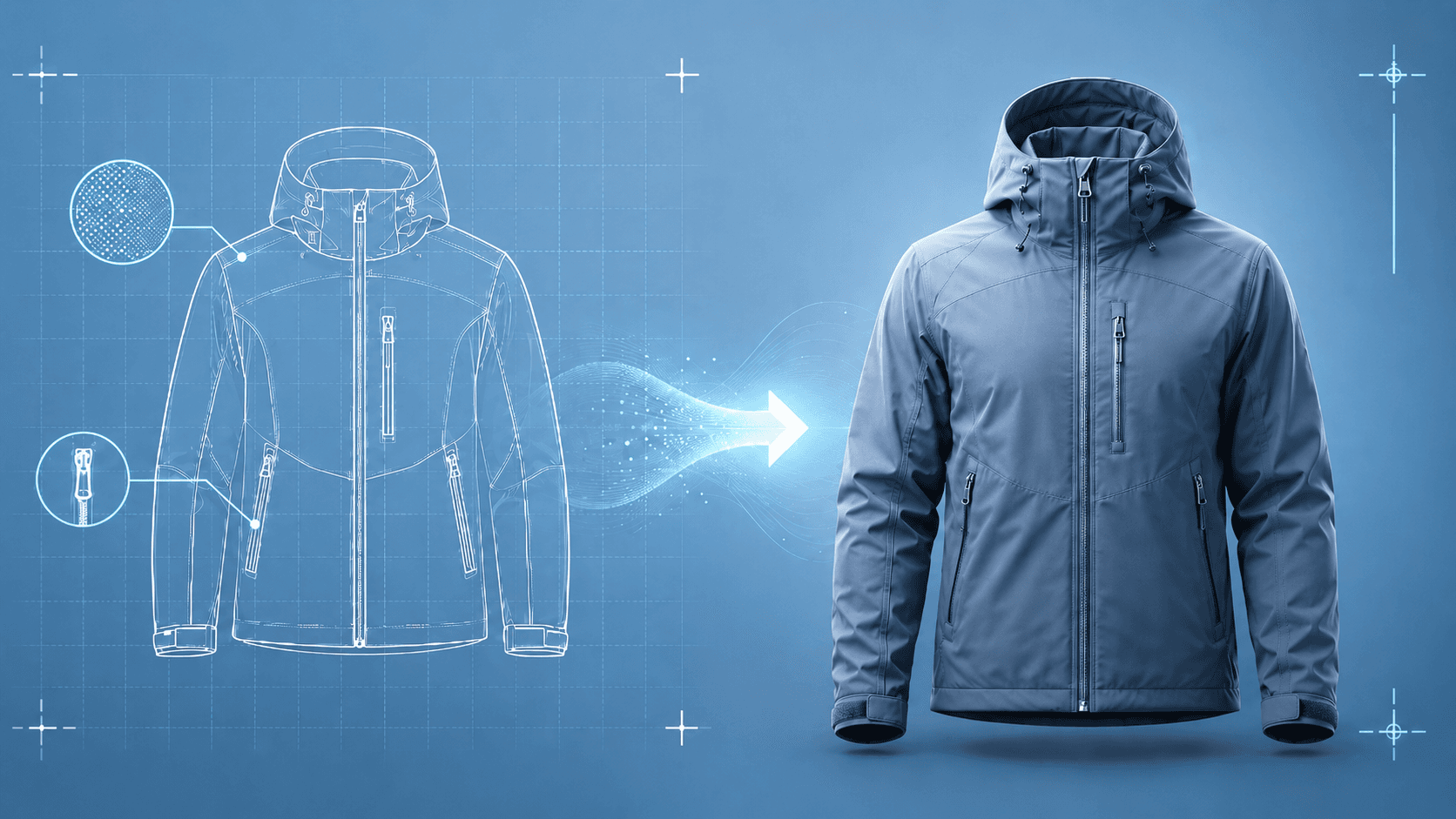
You have the CAD. The factory has questions you can't answer with a flat. That's the gap AI fashion mockup generation fills — turning the 2D artwork you already use into photoreal stills and video clips, while keeping every output attached to your product record rather than lost in an exports folder.
Technical flats and CAD-style artwork are essential: they lock construction intent and give factories a baseline. But they remain abstractions. Teams still need to know how proportions should read, whether colour blocking lands as bold or busy, and whether the overall direction feels relaxed, technical or premium. A photoreal mockup answers many of those questions in a single glance — without replacing the CAD or the tech pack.
What is an AI fashion mockup generator?
An AI fashion mockup generator turns garment artwork, CADs, flats or references into realistic product visuals. Instead of modelling every panel in 3D or hand compositing in Photoshop, you generate a photoreal still — and often multiple angles — from the design files you already use. Depending on the brief, outputs range from clean studio product stills and ghost mannequin-style shots to on-model imagery, location-styled scenes and short video clips.
Serious garment work usually needs more than a single hero crop. A coherent set of views — front, side and back when construction demands it — keeps styling and detail aligned for the same design, not a loose collection of one-offs. Background and setting matter too: a neutral studio read shows colour and silhouette with little distraction; a location or campaign-styled scene shows how the product should feel in market. Product teams often need both to brief buyers and factories from the same approved direction.
How is that different from generic AI image tools?
Generic tools output standalone images with no connection to the rest of the development process. clothink is built as an end-to-end product workspace: generate design ideas and CADs, take those directly into photoreal mockup generation, and keep every output linked to the style record so visual context carries through to specifications — nothing lost between stages.
Why photoreal mockups help before sampling
Sampling is expensive and slow. When design intent is ambiguous, factories ask more questions and you burn cycles on explanations. Pairing CADs with photoreal mockups reduces that ambiguity: the CAD carries construction, the mockup carries finish, proportion and visual direction. Together they mean fewer clarification rounds before you're ready to build out a tech pack — and your specifications start from a shared visual baseline rather than a verbal description.
From CAD to photoreal: denim jacket proof
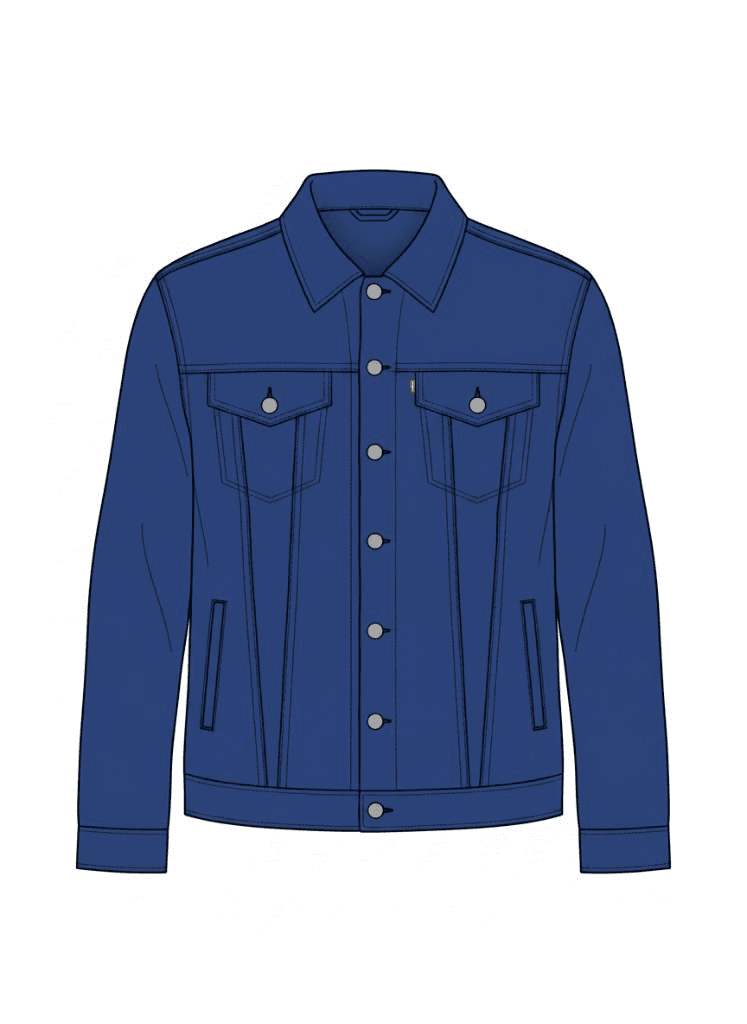

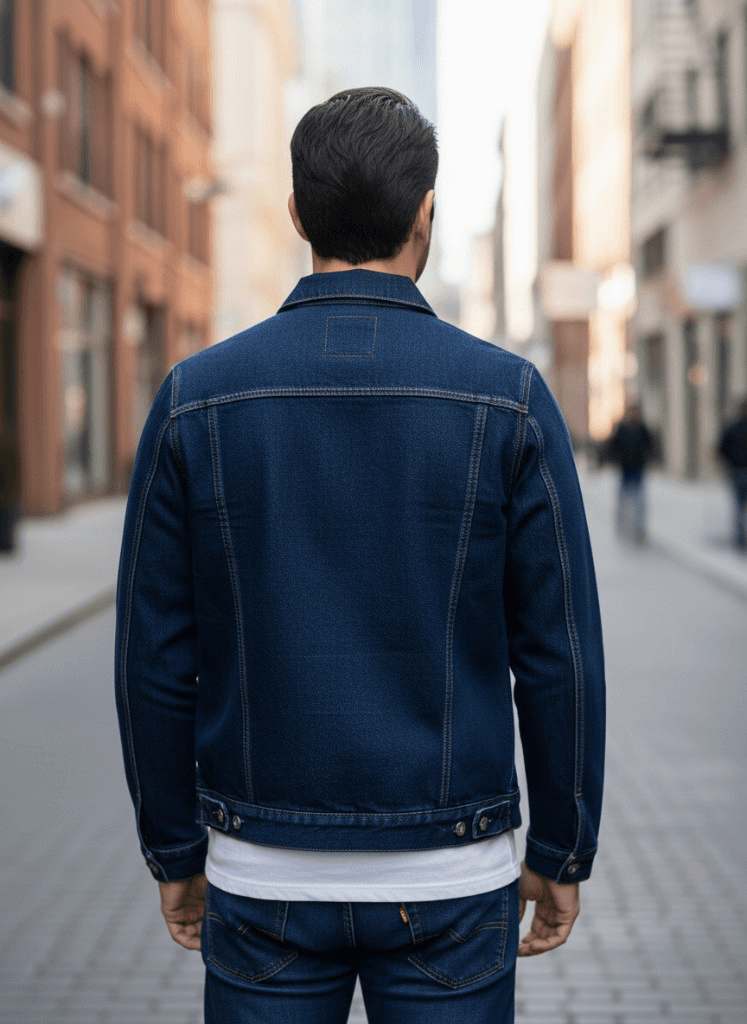
Generating side and back views from the same brief gives a complete read of the garment in the round. Back yoke shape, pocket placement and collar stand height become legible before a sample exists — which is precisely when that clarity has most value in a development conversation.

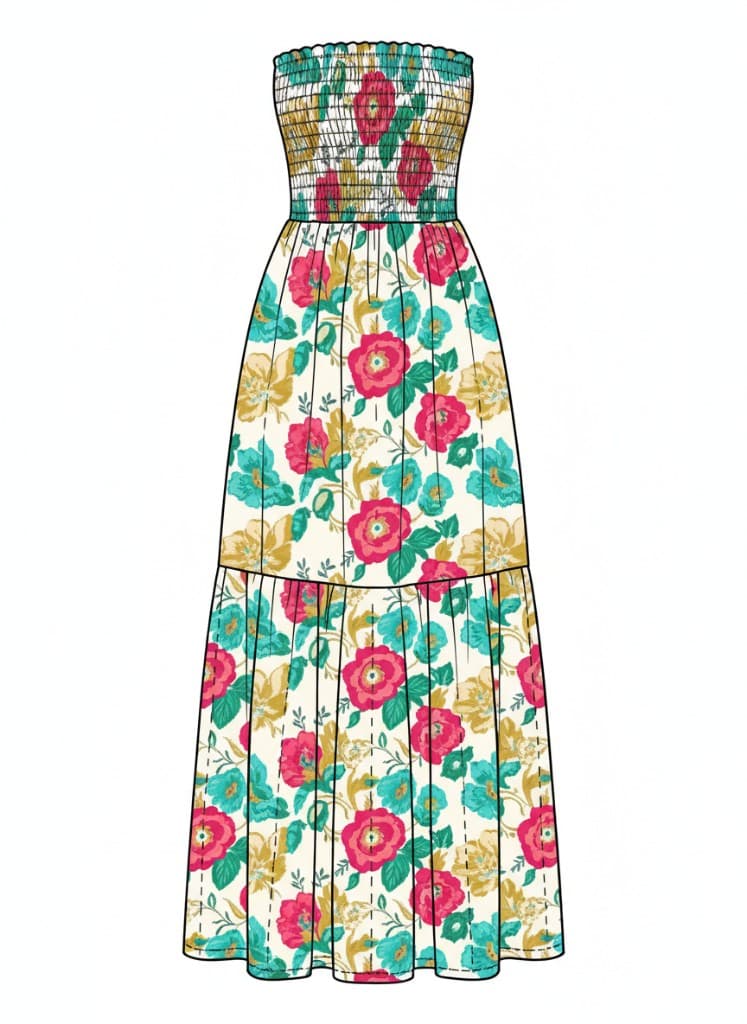
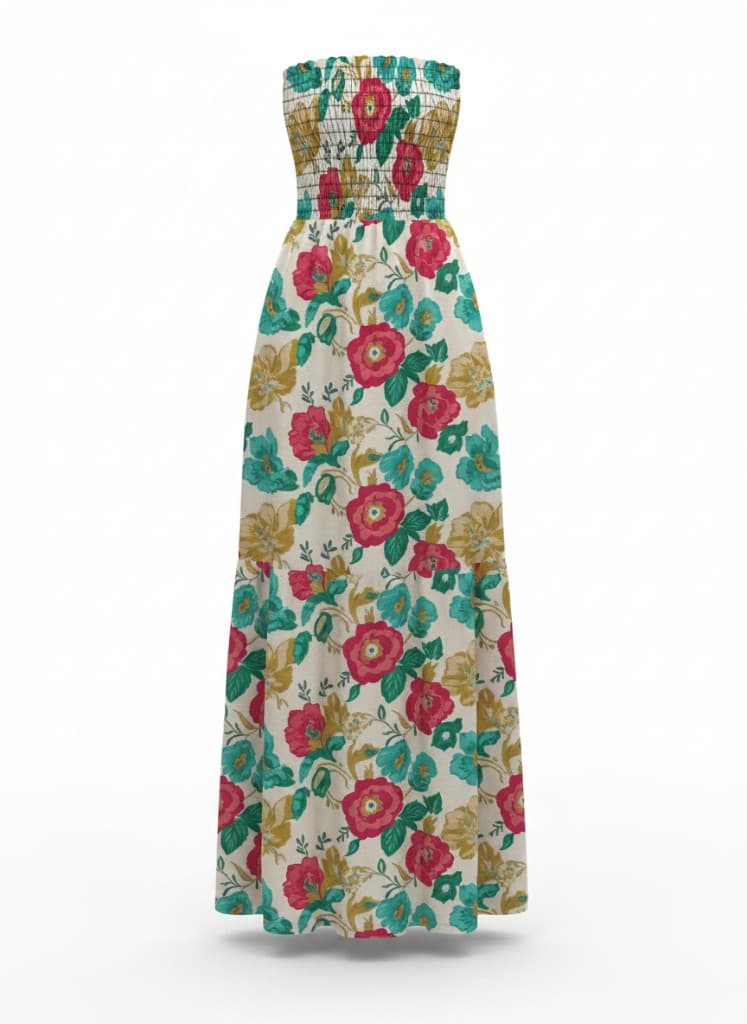
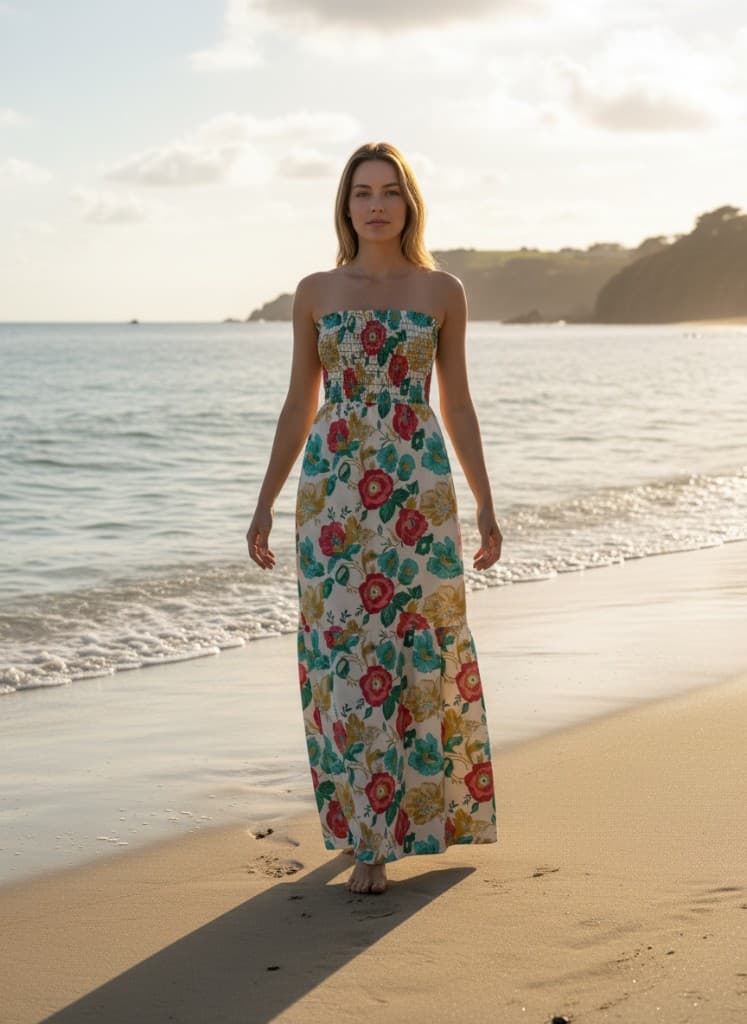
Bohemian maxi dress: CAD, product still and beach mockups
A floral maxi dress demands more from a brief than a structured jacket. Drape, print scale and hem length each read differently depending on styling and environment, and a technical flat can only carry so much of that information. The examples below step from CAD into a clean studio product still — colour and silhouette with a minimal, neutral setting — then into environment mockups in a styled location (here, beach) so buyers and suppliers see market context as well as construction.
Video mockups from approved stills
Stills lock proportion and finish. Motion shows how a garment behaves — drape, fabric weight and overall styling in a way a static image cannot fully communicate. clothink generates short video clips directly from approved mockups, so movement is consistent with the design your team has already signed off. That consistency matters: in buyer presentations and pre-season reviews, the still and the motion are the same garment at the same visual stage of approval, not two separate assets that need reconciling.
Mockups that stay connected to your development process
Most mockup workflows end at the export: you generate a visual, download it, and send it — after which it lives in an email thread or a shared folder with no connection to the rest of development. When a factory asks a question three weeks later, someone has to locate the right version and re-send it. clothink is built differently. Mockups sit in the same workspace as your CADs, references and production specifications. When you open a garment or start building out factory specs, the approved visual is already there alongside the technical information — same angles, same finish, the right version. Your team and your suppliers are looking at the same thing without anyone having to chase files. See how photoreal mockups are generated from CADs and flats, and how tech packs and factory-ready specifications stay tied to the same garment.
Who should use an AI fashion mockup generator?
AI fashion mockup generation is most useful at the point in development where design intent needs to be communicated clearly — before sampling, when directions are still being aligned across design, buying and production teams, or at range reviews and seasonal checkpoints when several options need a shared visual baseline before anyone commits sample capacity. It fits independent designers and small brands who need high-quality visuals quickly, product developers briefing factories across time zones, and studios working with multiple clients who need to show direction without committing to a sample.
Common questions
How accurate are the mockups to the finished garment?
The generator interprets visual intent — silhouette, proportion, colour and surface finish all read clearly from a detailed CAD input. It is not a physics-based fabric simulation, so it works best as a direction-setting and communication tool rather than a fit or construction reference. The more structured and detailed the input, the tighter the output interpretation.
What can I use as the input?
CAD artwork, technical flats, scanned sketches or reference images — clothink generates from the design files you already work with. You can also brief from text alone if you are in an early ideation stage before artwork exists, which is useful for quickly exploring directions before committing to detailed CAD work.
Can I generate different colourways or fabric options from the same design?
Yes. Rebriefing from the same CAD with updated colour or material direction produces a new output without starting over. This makes early range reviews faster: you can present colourway or fabric options visually and get alignment before committing a sample to any of them.
How is clothink different from mockup tools built mainly for marketing?
Many mockup products prioritise fast, standalone images for listings, ads or social — export the file, and the asset lives outside your development record. clothink is built for apparel product development: you work from technical flats and CADs, generate consistent multi-angle outputs when the garment demands it, and keep those visuals with the same style as you move toward sampling and factory-ready specifications. The goal is not only a pretty picture, but the same approved direction in every conversation with buyers and suppliers.
Upload your CAD, generate a front, side and back mockup, then open your tech pack — clothink keeps both in the same view. The supplier gets the flat for construction and the mockup for intent, in one place. That is the kind of clarity that reduces revision cycles and gets products to sampling faster.
Ready to unify your workflow?
One workspace from concepts to factory specs. Start free — no credit card required.